
How to Actually Get the Most Out of a Metal Business Card With a QR Code
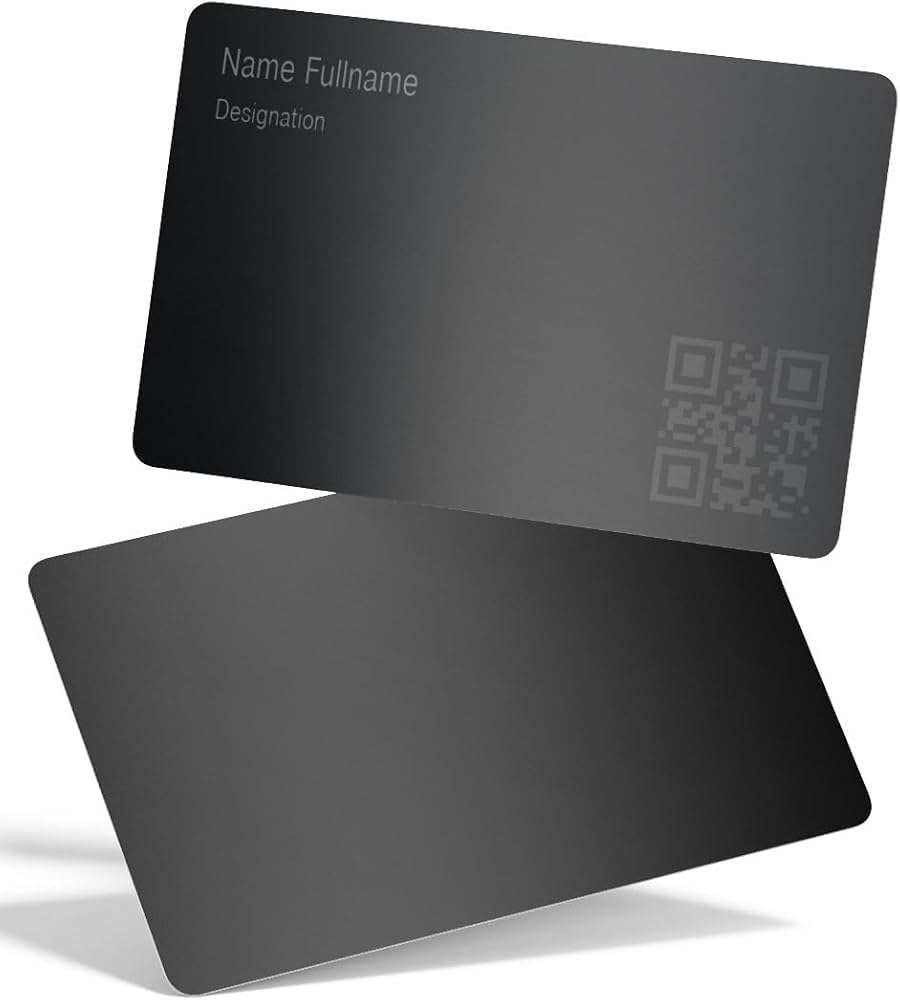
A metal business card with a QR code can be either a flex or a liability. The difference is rarely the logo. It’s the boring stuff: reflectivity, contrast, link hygiene, scan testing, and whether the landing page feels like it was built by an adult.
One scan is all you get sometimes.
Why metal + QR works (when it works)
Metal cards do something paper can’t: they create a tiny moment of friction. People feel the weight, flip it over, and, if you’ve designed it right, scan it because curiosity is already engaged. That’s the psychology.
The QR code then converts that curiosity into something measurable: a click, a contact save, a booked call, a portfolio view you can track. Paper asks people to remember you later. QR asks them to act now.
Here’s the thing: the “premium” part isn’t the metal. It’s the experience after the scan.
Hot take: polished metal is a scanning nightmare most of the time
Mirror finishes look incredible in product photos. In real rooms with overhead lighting? They throw glare across the code, and some phones will hunt for focus like they’ve lost their mind.
If you want a reliable metal business card with qr code that scans in the wild, conference halls, bars, lobbies, bright windows, favor finishes that control reflections before you worry about looking “luxury.”
One-line truth:
Make it scannable first. Make it shiny second.
Alloy choices (practical, not romantic)
You don’t need a metallurgy degree, but you do need to pick a substrate that holds detail and doesn’t bend.
– Stainless steel: rigid, durable, holds crisp laser marks well. Great “default.”
– Anodized aluminum: lightweight, good contrast options, but can scratch and show wear faster depending on coating.
– Brass/copper: gorgeous, but patina and micro-scratches can creep into QR modules over time if you don’t plan for it.
In my experience, stainless with laser marking is the least drama across batches.
Finish strategy: readability beats vibes
A QR code isn’t art. It’s machine vision.
Use finishes that keep module edges clean and the background predictable:
– Brushed/satin surfaces often scan better than high-gloss because they reduce specular glare.
– Matte can be okay, but some matte textures diffuse contrast and “soften” the code (bad for small modules).
– Clear coats help with oils and abrasion, but the wrong one can create reflections that kill scan reliability at an angle.
And yes, coatings change how phones “see” contrast. Don’t assume. Test.
QR code design rules that people ignore (and pay for later)
Look, a QR code can be technically valid and still perform poorly on a metal card. The gap between “works on my desk” and “works in a hallway while someone holds a cocktail” is real.
Size + quiet zone: don’t get cute
If you push the QR too small to keep the design clean, you’ll lose scans. Period.
General guidance that holds up:
– Keep a quiet zone (blank margin) around the code. Don’t frame it with lines, texture, or microtext.
– Use a simple, high-contrast code. No gradients. No “inverted” codes unless you’ve tested heavily.
– Choose error correction that matches reality. Higher correction helps survive scratches, but it also makes the code denser, so size may need to increase.
Now, this won’t apply to everyone, but if your card is meant for trade shows or field work, I’d bias toward a slightly larger QR than you think you need.
Engraved vs printed: pick your failure mode
Printed QR codes can look razor sharp, until abrasion hits the surface.
Laser-etched or engraved codes last longer, but:
– too shallow = low contrast
– too deep = edges can “bloom” depending on finish and grime buildup
The sweet spot is a mark method that creates consistent dark modules and a background that stays visually quiet. (That’s why brushed + laser marking is such a common pairing.)
Your QR destination is the real business card
A QR code that opens a slow, cluttered page feels like handing someone a premium watch in a plastic bag.
Keep the landing page fast and decisive. One job.
What should it open to?
My preference: a mobile contact hub that supports:
– Add to contacts (vCard)
– A short credibility hit (one sentence bio + proof)
– 1, 2 primary CTAs (book a call, view portfolio, email)
Then a portfolio link for people who want depth. You’re not writing a novel on a 6-inch screen.
A specific performance point (with a source)
If your page is heavy, you’ll bleed interest. Google’s research showed that as page load time goes from 1 second to 3 seconds, the probability of bounce increases by 32% (Think with Google, page speed research). That’s not a “nice to have” metric. That’s people leaving.
So compress images, avoid bloated embeds, and don’t ship a 12MB autoplay showreel to a phone on conference Wi‑Fi.
Make it measurable (without being creepy)
A metal QR card is wasted if you can’t learn from it. Use tracking, just don’t get weird about it.
Good approach:
– Use a short URL / redirect you control (so you can update the destination later)
– Add UTM parameters for attribution
– Track scans in aggregate, not as a surveillance project
If you’re collecting anything personal (even just an email via a form), say what you’re doing. Plain language. No legal fog.
Coating, handling, and “why did my QR stop scanning?”
This section is less glamorous, but it’s where real-world cards live or die.
Glare management: pick the right clear coat
Some people swear by glossy coats because they “pop.” I disagree for QR use-cases.
A satin clear coat often performs better because it reduces glare while still protecting the surface. Matte can work too, but watch for haze that reduces contrast.
And don’t change finishes late in the process without re-testing. I’ve seen a perfect code become unreliable after a final topcoat, same art file, same vendor, different optical behavior.
Care that’s actually realistic
– Wipe oils off with a microfiber cloth (fingerprints add shine in the worst places).
– Skip harsh solvents that can cloud coatings.
– Store a few cards in a sleeve if you care about pristine presentation; loose pocket carry will round edges and introduce micro-scratches.
You don’t need to baby it, but you do need to accept physics.
Security + privacy: treat the QR like a doorway
A QR code is a pointer. That’s good news, because you can avoid embedding sensitive data directly.
Specialist mode for a moment:
– Use HTTPS only. No exceptions.
– Avoid linking to sketchy third-party link shorteners that can get flagged or repurposed.
– If you run campaigns, prefer rotating redirects or controllable targets so you can shut down a compromised link fast.
– Don’t collect data by default. Get consent where appropriate, and keep retention minimal.
Trust is part of the design. If the landing page feels shady, the metal won’t save you.
What I’d do if I were ordering a batch tomorrow
Not a universal prescription, but it’s a reliable starting stack:
Stainless steel card, brushed/satin finish, laser-marked high-contrast QR, generous quiet zone, redirect URL I control, ultra-fast contact hub with one primary CTA, and a portfolio link that shows 3, 5 strong wins (with outcomes, not adjectives).
Then I’d test scanning under:
bright overhead lights, a window glare angle, low light, and with two or three different phone models.
Because the world isn’t a product mockup.




 Furthermore, advancements in smart sensors and the Internet of Things IoT are revolutionizing AC repair. Smart sensors integrated into AC systems can continuously monitor performance, detect abnormalities, and send real-time data to technicians and AI systems. This real-time monitoring allows for immediate identification of issues, enabling timely and precise repairs. IoT-enabled AC systems can also facilitate remote diagnostics, enabling technicians to assess and troubleshoot problems without physical presence, saving time and resources. Nanotechnology offers another avenue for enhancing AC repair. Nano-coatings and materials can be applied to AC components to improve their durability and efficiency. Nanocoatings can protect AC components from corrosion, wear and tear, and improve heat transfer capabilities, ultimately extending the lifespan of the system and reducing the frequency of repairs.
 The poor blood flow-sucking pest selects their protection areas in dark locations. You can expect to be unable to see their shelter areas effortlessly. You have to seek specialist help from your identified pest control of Perth. The these bugs management services in the recognized pest management company will take out your these bugs from all of challenging-to-get to places. Some frequent trying to hide web sites including inside the slim area of your artwork framework, in the support frames of bed furniture, inside of the lean holes and crevices, inside the hand bags, wallets and purses, on any spot of your furnishings physical objects and also in the carpeting and mattresses.